
My personal productivity has exploded in the last 12 months by leveraging a whole new set of AI tools. However, I was worried about the short term impact of such intensive usage in terms of quality of work & the critical thinking needed to drive good decisions while at the same time protecting my cognitive capabilities over time.
To get the most from AI, it’s critical to know when to ignore it. Several people are using AI directly for high-stakes analysis and big decisions, which is risky. For anything involving real uncertainty or needing careful judgment, the best move is to start without AI. In general, I take a paper and try to get clarity on my thinking first. After defining the problems & the questions to solve for & working through initial answers. Only then, I bring in the machine as thinking partner, to stress test the logic and improve the output.
For repetitive, low-value tasks, I flip the order & I use AI directly. I let the machine handle the grunt work. The real gains come from tasks that take 30-90 minutes, happen often, and eat up time without creating much value. Writing routine emails. Formatting data for standard reports. Summarizing research on known topics…
After dozens of tools testing, here are the 5 tools that have become indispensable to my workflow.
1. Wispr Flow: Speech-to-Text that works
Voice-to-text is 4x faster than typing. I say out loud what I think instead of writing. Then, Wispr cleans it up and formats it appropriately. It’s faster than the doing back & forth with ChatGPT as it works across any app, and actually understands natural speech, including the “ums” and course corrections.
I use also their snippets feature where I have the templates about most common answers over Linkedin. It makes answering fast as I just say 2 words & then I have my full template answer ready.

2. Superhuman: The Email app built for power users
Superhuman is built on a simple insight: Gmail’s designers optimized for the average user who checks email twice a week. But the top 5% of knowledge workers who spend 3-5 hours daily in their inbox? They needed something different.
This is pure design/UX innovation. Everything is just... fast. Keyboard shortcuts that actually make sense. Split Inbox that separates VIPs from noise, embeded with recent AI features such as auto-summarize threads, draft replies..
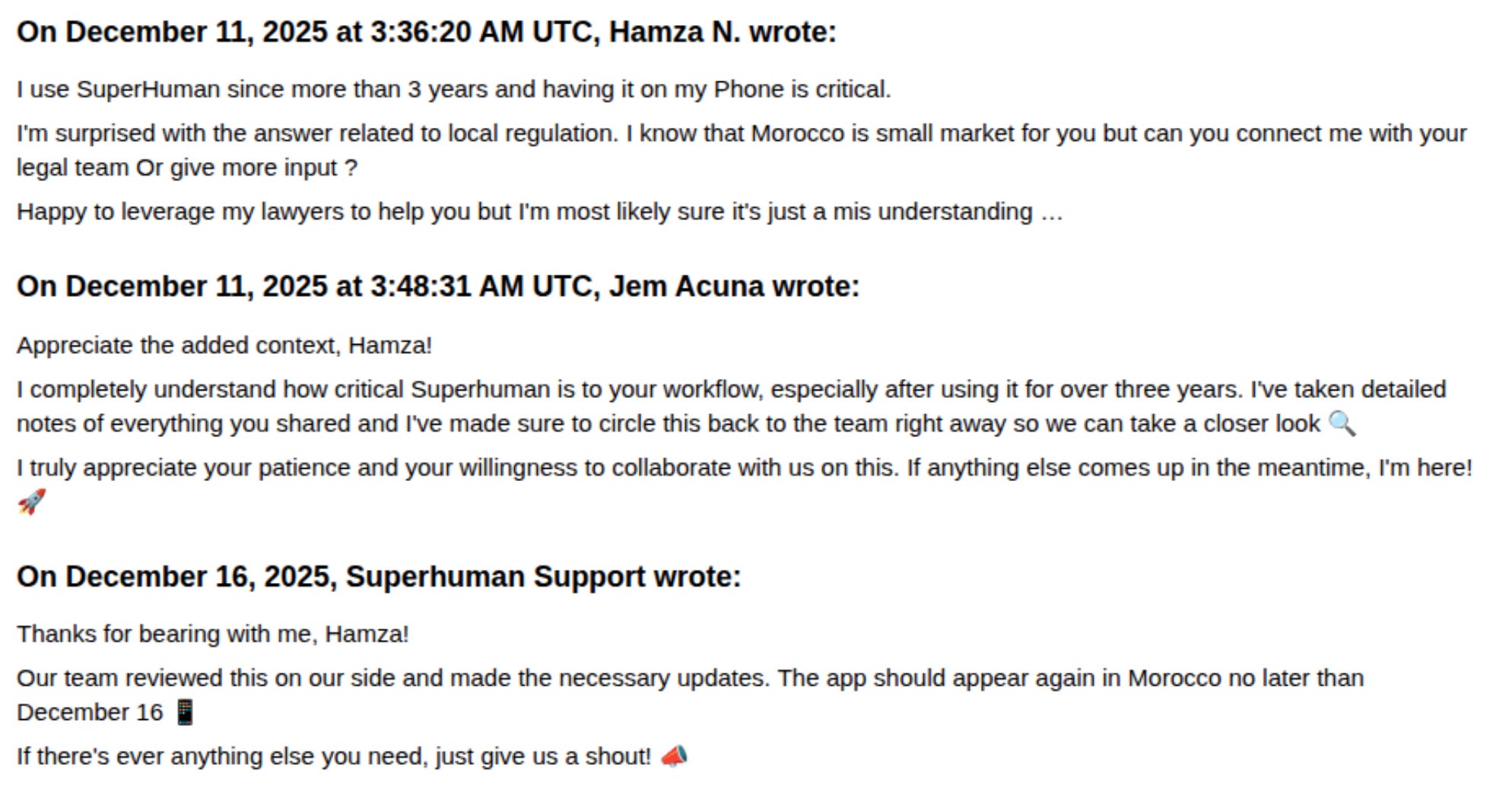
They accidentally stopped covering Morocco this year. I was so dependent on this tool that I literally offered to involve lawyers to help them get coverage back.
3. Granola: The humble AI meeting notes
Granola is an AI meeting notes taker but i’m hooked on for its “Humble-AI-design”, as it pushes you to take your own notes during the meeting, and then Granola enhances them with context from the transcript. It over-indexes on your notes because the same call means different things to different people based on their role and context. While most of the other apps, they just give you a full summary & the same to the whole attendees.
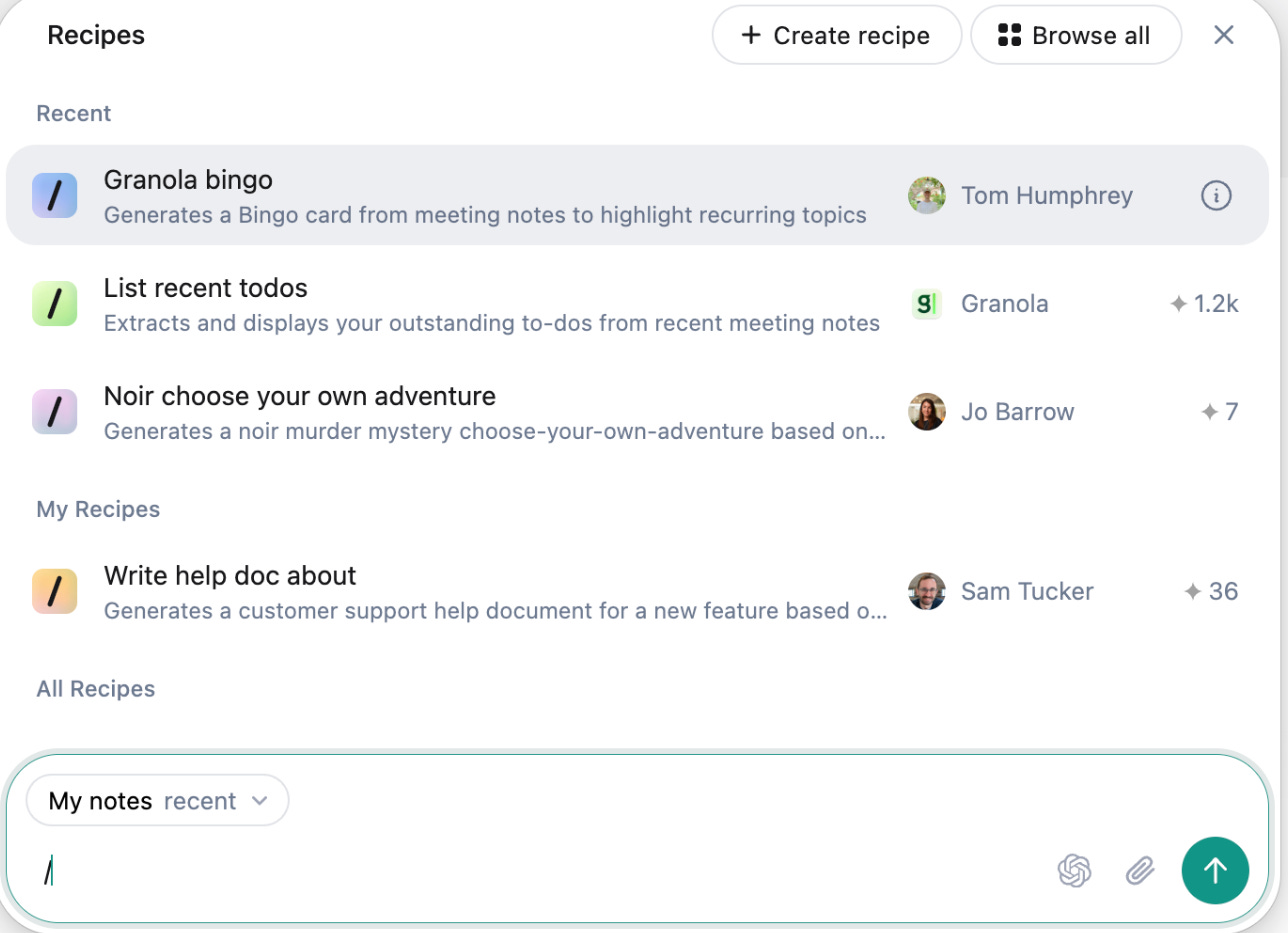
I also like their cross-meeting intelligence feature. I can ask questions such as : “What are my follow-ups from today’s calls?” and get a consolidated view across everything. I also built a recipe to have “hiring scorecard for interviews“ based my own personal assessment framework.
4. Claude: Complex thinking, not just chatting
Claude is an AI assistant like ChatGPT, but built differently in terms of UX, better at complex task breakdown, longer context windows, and more nuanced reasoning. What I like the most about Claude is Chained operations: “take this Excel, run analysis, generate a memo according to this format.. & then save as PDF”, all can happens in one flow/prompt while with ChatGPT you need several iterations.
They have also Artifacts, a file creation feature that generate slides, documents, and spreadsheets directly, which is faster and more reliable than ChatGPT’s Agent.
Claude on the web is what most people use but I recently discovered Claude Code, which is the terminal version for power users, but you don’t need to be technical to use it. It’s an intelligent AI running directly on your computer, able to do things without you being the middleman. You can use it to clean up messy invoice folders and rename files automatically, find why your computer is running slow, download all images from a Google Doc… (List of +50 non-technical use cases in Lenny Newsletter)
Claude Code shines when your workflow lives on your local machine, as it has direct access to your file system, so you can simply say "use the spreadsheet that I just saved in Downloads, clean the data, & do analysis x, y, z and output it to my Desktop" without the friction of uploading and downloading files. It also excels at extended reasoning: rather than a back-and-forth conversation, Claude Code can think, execute, check the results, and iterate autonomously until the task is done. It maintains context across your project folders & remembers directory structures.
I found 1-day online training of Claude Code by Every.co but it was $1,200, a price-point that is more relevant for the US & not Morocco. The team was cool & accepted price parity. Worth every dollar.

5. LongCut: Know when it’s worth it to watch the entire podcast
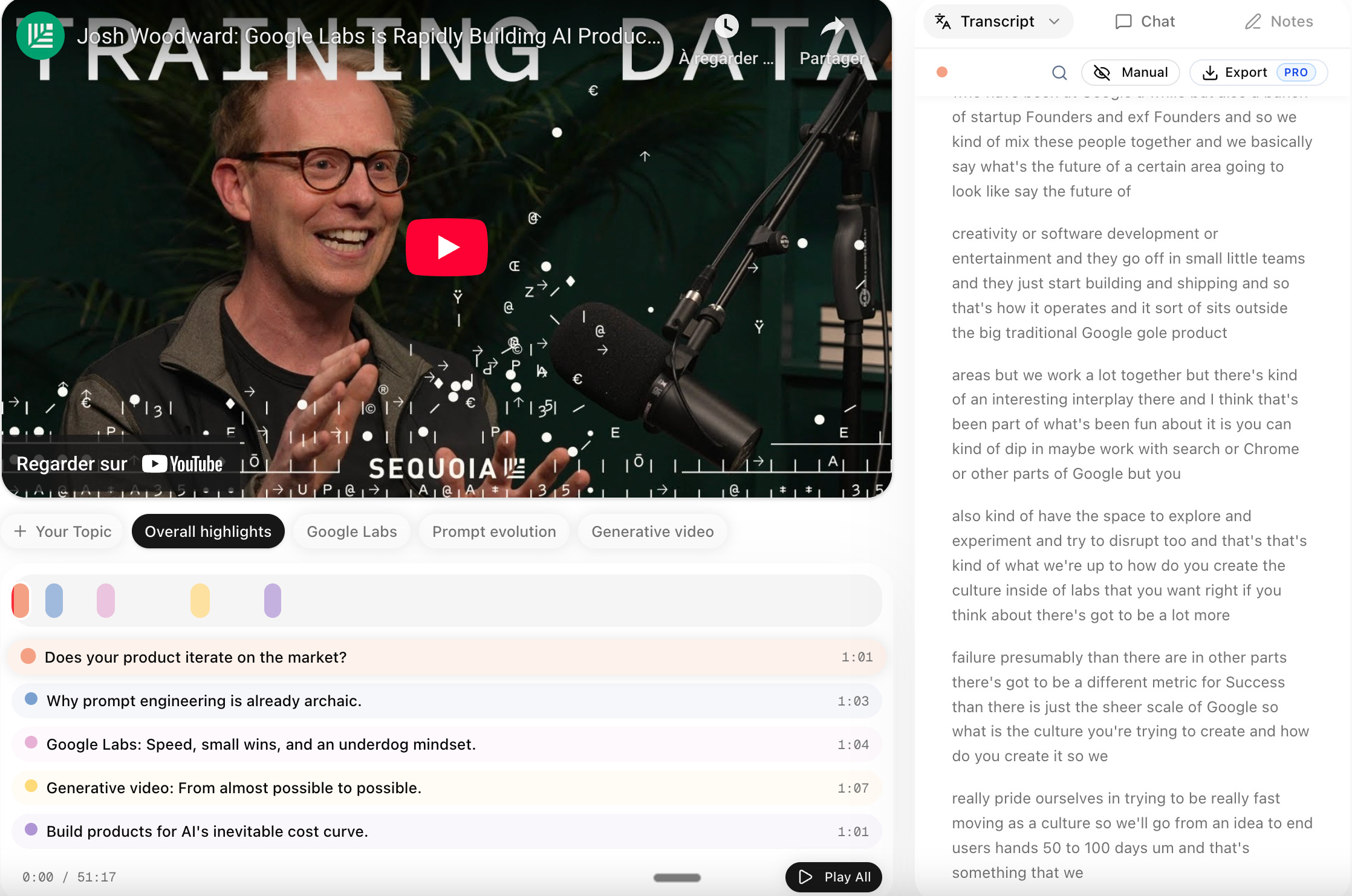
The number of podcasts I started following have grown significantly & very hard to find the time to watch everything. I use this tool in order to tell if whether this podcast deserves my attention, but it can’t replace the full experience. The most valuable insights are unpredictable, the unexpected connection, the idea that reframes everything… These happen because you spent time with the content.
Before committing to a 90-minute episode, I filter and find the gems, then go deep on what matters or watching it fully if relevant. Their transcripts are better than YouTube auto-captions, and I can ask questions & get answers based on the transcript.
Conclusion
These five tools share something in common: they don’t try to think for me. They remove friction from the execution layer while leaving the thinking layer intact.
The danger isn’t using AI, it’s outsourcing cognition. The opportunity is massive productivity gains while maintaining or even improving the quality of your thinking.
Think first. Automate second. These tools are good enough to make you fast & better if you use them right.
Very useful, thanks for sharing !